Skip to content

Less busywork for a university foundation

Shepherd University Foundation

Shepherd University Foundation supports scholarships and other priorities at Shepherd University. Adam Leviton designed and developed the Foundation’s WordPress website and publishing tools for donor recognition, scholarship reporting, and photo galleries. Staff enter information through tailored forms and editing fields; the website handles formatting and puts that content to work in multiple places.
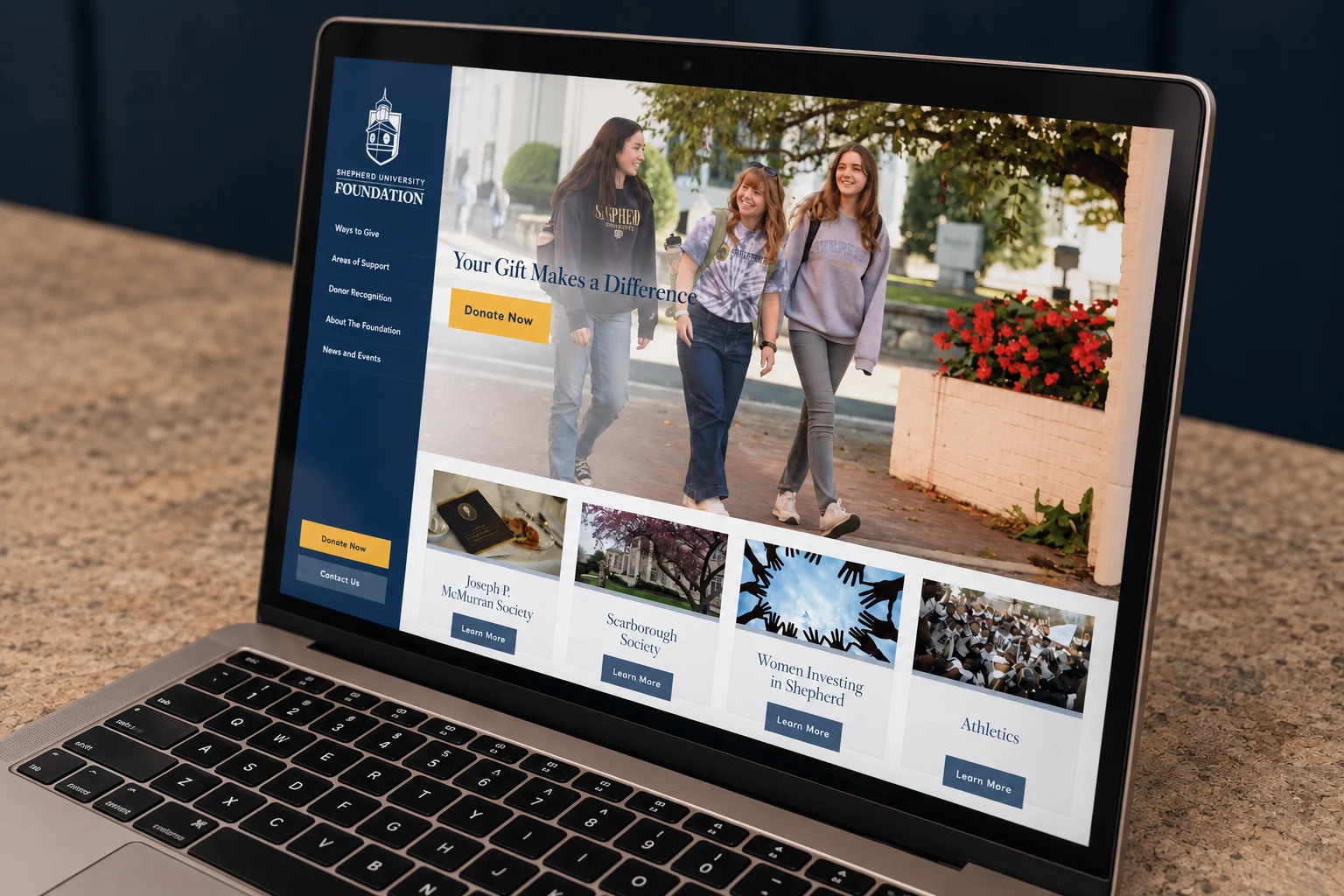
The Foundation homepage in an angled laptop mockup, with its navy navigation, campus photography, and gold donation buttons.
Project scope
Website design, custom development, and integrations.
Project
Donor recognition, scholarship reporting, and content publishing.

Three workflows, less repeated work

Donor records become formatted recognition lists. Student submissions become donor-ready PDFs. Facebook albums also appear on the website. Each workflow puts information to use without rebuilding the same content by hand.

Three workflows, less repeated workThree separate Foundation workflows: donor records become formatted recognition lists; scholarship assignments and student submissions pass through staff review to donor-ready PDFs; Facebook albums appear on the website homepage and gallery archive.Three workflows, less repeated workSeparate processes, built around information the Foundation already manages.Donor recognitionEnter donor recordsPeople, households andrecognition groups.Apply display rulesNames, class years andhousehold conventions.Publish recognitionConsistent, formattedlists on the website.Scholarship reportingAssign scholarshipsStaff connect studentswith their awards.Collect student storiesProfiles, photos andscholarship thank-yous.Review informationStaff review and editthe submitted details.Generate a PDFA branded profile andselected thank-you.Facebook galleriesPublish on FacebookStaff add their eventphotos and captions.Reuse the albumsThe website pulls inthe same gallery content.Browse on the websiteHomepage galleries andthe photo album archive.Custom development connects each task with a useful, consistent output.
Three workflows, less repeated workThree separate Foundation workflows: donor records become formatted recognition lists; scholarship assignments and student submissions pass through staff review to donor-ready PDFs; Facebook albums appear on the website homepage and gallery archive.Three workflows.Less repeat work.Separate paths for different tasks.Donor recognitionEnter donor recordsPeople, households andrecognition groups.Apply display rulesNames, class years andhousehold conventions.Publish recognitionConsistent, formattedlists on the website.Scholarship reportingAssign scholarshipsStaff connect studentswith their awards.Collect student storiesProfiles, photos andscholarship thank-yous.Review informationStaff review and editthe submitted details.Generate a PDFA branded profile andselected thank-you.Facebook galleriesPublish on FacebookStaff add their eventphotos and captions.Reuse the albumsThe website pulls inthe same gallery content.Browse on the websiteHomepage galleries andthe photo album archive.Useful outputs from informationstaff already manage.
View diagram at full size (opens in a new tab)

Update the content without touching code

Staff previously had to edit HTML to update website information. Dedicated editing tools let staff manage donor records, recognition groups, scholarships, and student profiles without editing HTML. Staff enter the information; the website handles the formatting.

Donor recognition that formats itself

Names, class years, titles, and household relationships all affect how donors should appear. Formatting rules turn staff-entered records into consistent recognition lists, including the details that matter to the people being thanked.
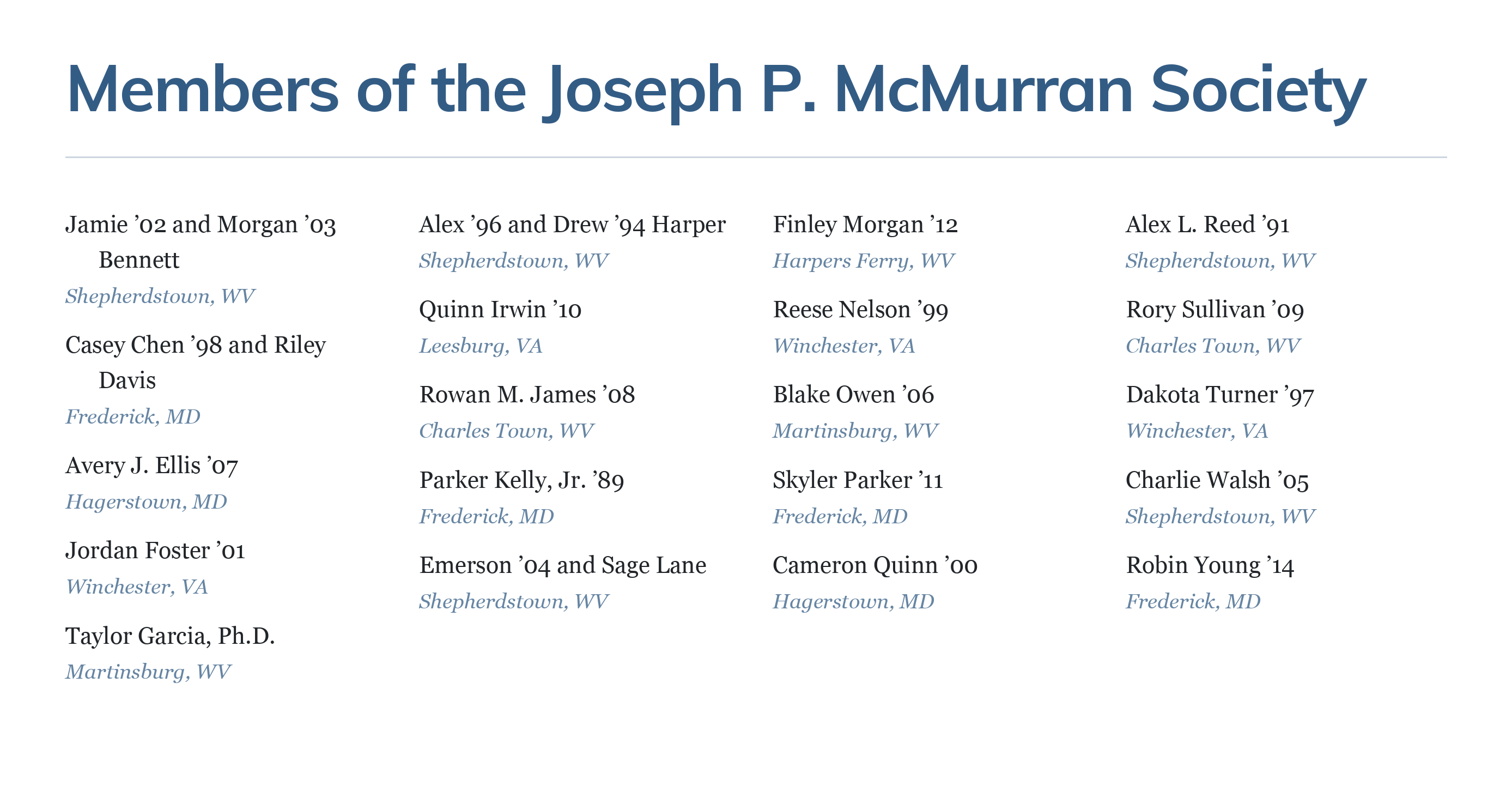
Sample donor recognition list showing couples, class years, titles, and locations.
Fictional donor records.

From student submissions to donor-ready PDFs

Students submit a profile, a photo, and a thank-you message for each assigned scholarship. Staff can review and edit the information. The profile and selected scholarship’s message become a branded PDF, without a separate document-formatting task.
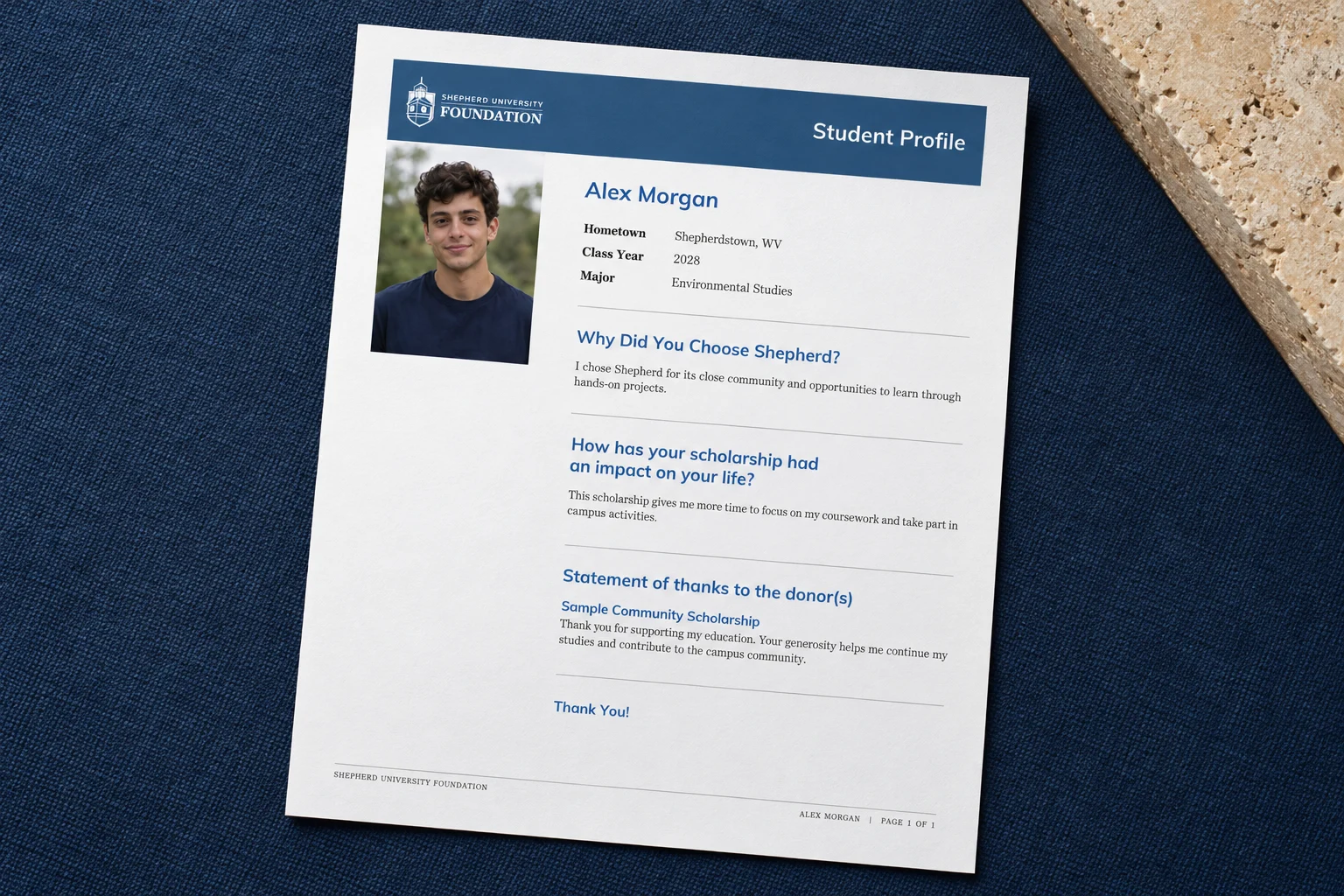
The sample student profile shown as a printed page on navy fabric, with a fictional headshot, Alex Morgan's profile, and a scholarship thank-you message.
Fictional student information and portrait. Open sample PDF (opens in a new tab)

Publish photos once, use them in both places

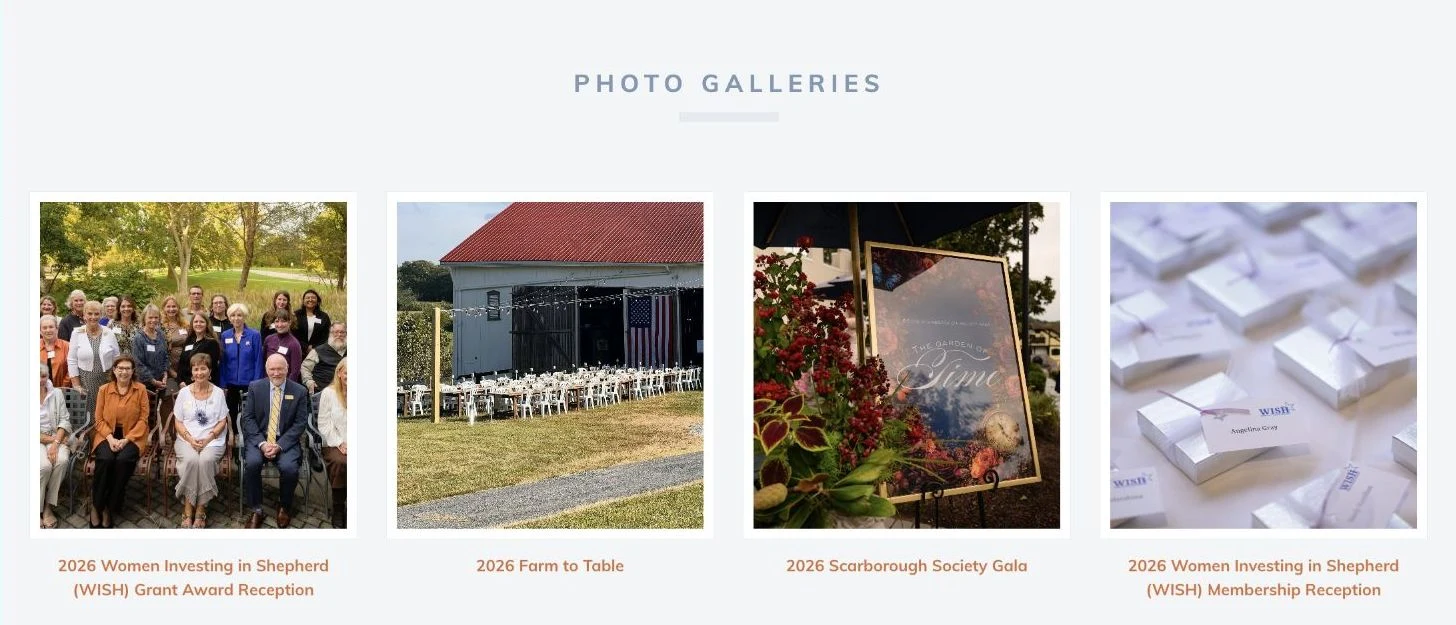
Adam proposed bringing Facebook albums into the website so staff could keep posting event photos in one place. The same albums now appear on the homepage and gallery pages. Visitors can browse without leaving the Foundation’s site.
A searchable directory of named funds

Visitors can search named funds and narrow the results by school and category. Staff maintain the fund information in WordPress.

Explore the named funds directory (opens in a new tab)

Could your website take some work off your plate?

Let’s talk about what would make publishing easier for your team.
Start a conversation

Start a conversation

Share a little about your project or the help you need.

Or send an email to [email protected]